
Zorora
Local-deployment deep research engine with credibility scoring and citation graphs.
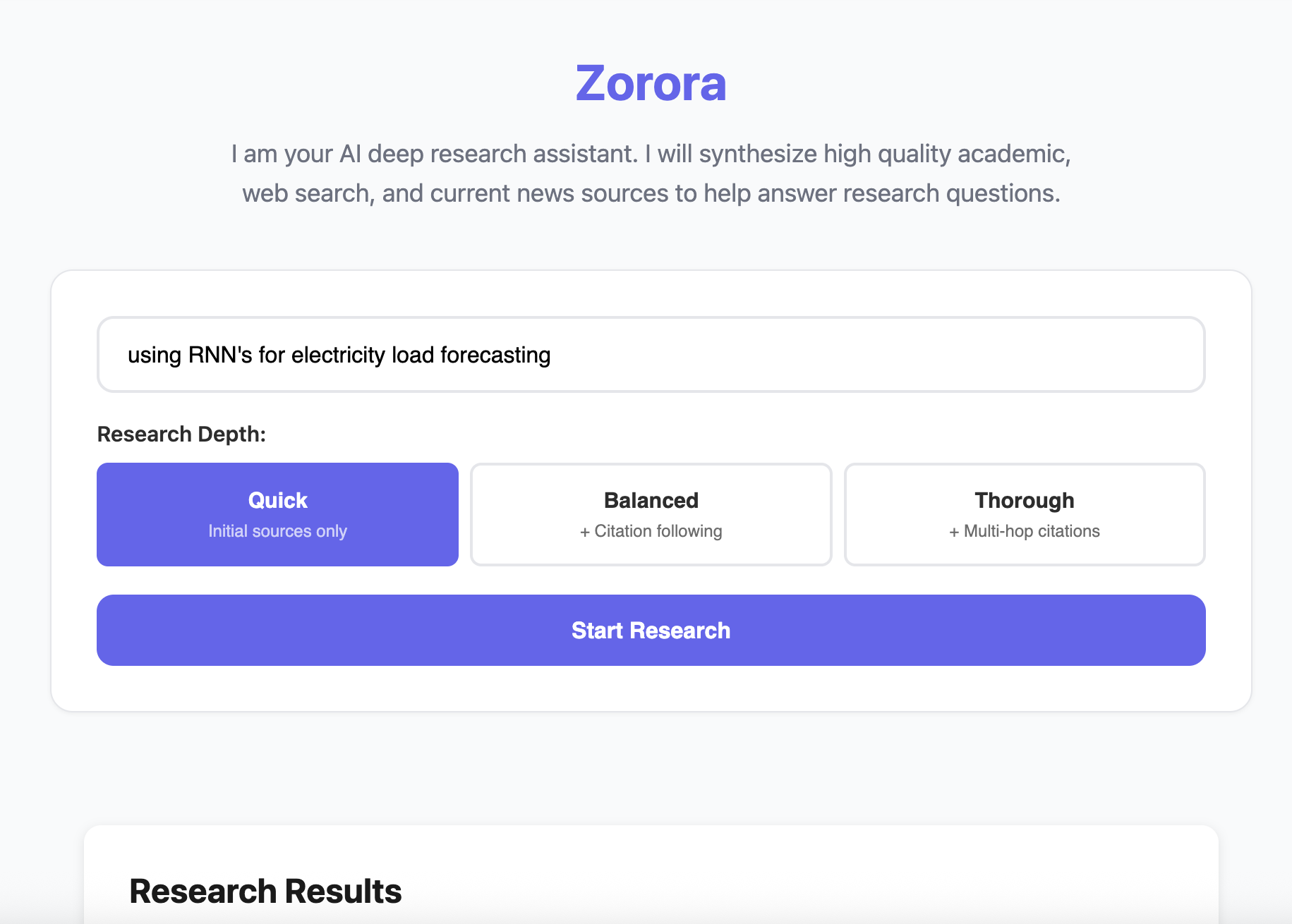
Overview
Zorora is a deep research engine that searches across academic databases, web sources, and newsroom articles, then synthesizes findings with credibility scoring and citation graphs. Built for macOS (Apple Silicon) with minimal RAM footprint, it runs directly from your computer with all content stored locally for complete privacy and control.
Key Features
Deep Research Pipeline
A 6-phase research pipeline that goes beyond simple search.
- Parallel Source Aggregation - Searches academic (7 sources), web (Brave + DDG), and newsroom simultaneously
- Citation Following - Multi-hop exploration of cited papers (configurable depth: 1-3)
- Cross-Referencing - Groups claims by similarity and counts agreement across sources
- Credibility Scoring - Rules-based scoring of source authority
- Citation Graph Building - Visualizes relationships between sources
- Synthesis - Generates comprehensive answers with confidence levels and citations
Local-First Architecture
All processing and storage happens on your machine.
- SQLite Database - Fast indexed queries (
~/.zorora/zorora.db) - JSON Storage - Full research findings (
~/.zorora/research/findings/) - Zero Cloud Dependencies - Core functionality works offline
- Complete Privacy - Research data never leaves your machine
Credibility Scoring
Transparent, rules-based scoring of source authority.
- Domain-Based Scoring - Nature (0.85), arXiv (0.50), etc.
- Citation Modifiers - Higher scores for well-cited sources
- Cross-Reference Agreement - Boosts for claims confirmed by multiple sources
- Predatory Publisher Detection - Flags questionable sources
Research Depth Levels
| Level | Description | Time |
|---|---|---|
| Quick | Initial sources only (skips citation following) | ~25-35s |
| Balanced | Adds citation following (1 hop) | ~35-50s |
| Thorough | Multi-hop citation exploration (up to 3 levels) | ~50-70s |
Academic Sources
Zorora searches across 7 academic databases:
- Google Scholar
- PubMed
- CORE
- arXiv
- bioRxiv
- medRxiv
- PubMed Central (PMC)
Plus web search (Brave + DuckDuckGo) and Asoba newsroom integration.
Getting Started
Prerequisites
- Python 3.8+
- LM Studio running on
http://localhost:1234- Download: lmstudio.ai
- Load a 4B model (e.g., Qwen3-4B)
- Brave Search API key (optional) - For enhanced web search
Installation
From GitHub:
pip install git+https://github.com/AsobaCloud/zorora.git
From source:
git clone https://github.com/AsobaCloud/zorora.git
cd zorora
pip install -e .
Run
Terminal Interface:
zorora
Web Interface:
zorora web
# Opens at http://localhost:5000
Usage
Deep Research Query
Terminal:
[1] > What are the latest developments in large language model architectures?
The system automatically detects research intent and executes the deep research workflow.
Web UI:
- Open
http://localhost:5000 - Enter your research question
- Select depth level (Quick/Balanced/Thorough)
- Click “Start Research”
- View synthesis, sources, and credibility scores
Programmatic Access
from engine.research_engine import ResearchEngine

engine = ResearchEngine()
state = engine.deep_research("Your research question", depth=1)
print(state.synthesis)
Search Past Research
# Search past research
results = engine.search_research(query="LLM architectures", limit=10)

# Load specific research
research_data = engine.load_research(results[0]['research_id'])
Slash Commands
Research Commands
/search <query>- Force deep research workflow/ask <query>- Conversational mode (no web search)
Code Commands
/code <prompt>- Code generation or file editing/develop <request>- Multi-step development workflow
System Commands
/models- Interactive model selector/config- Show current configuration/history- Browse saved sessions/help- Show available commands
Performance
| Metric | Value |
|---|---|
| Routing decision | 0ms (pattern matching) |
| Quick research | ~25-35s |
| Storage queries | <100ms (SQLite indexed) |
| RAM usage | 4-6 GB (4B model) |
Why Local-First?
Problem: Cloud-based research tools require uploading your queries and data to external servers, creating privacy concerns for sensitive research.
Solution: Zorora runs entirely on your machine:
- Pattern matching routes queries (no LLM decision overhead)
- Hardcoded 6-phase research pipeline
- Local SQLite + JSON storage
- Zero cloud dependencies for core functionality
Result: Complete privacy, 100% reliability with 4B models, 1/3 the RAM of 8B orchestrators.
Open Source
Zorora is open source under the MIT license.
- GitHub: github.com/AsobaCloud/zorora
- Issues: Report bugs and request features
- Pull Requests: Contributions welcome
Support & Resources
Documentation
Support
- Email: support@asoba.co
- Discord: Join our community
- GitHub Issues: Report bugs
Get Help & Stay Updated
Contact Support
For technical assistance, feature requests, or any other questions, please reach out to our dedicated support team.
Email Support Join Discord